Build cleaner closeout packages.
A prompt library, four carrier guides, an 18-point pre-submit checklist, a worked sample package, invoice defense letters, and a portal tracker. Built to keep first-pass rejections from slowing your pay.
NETWERKS64 is an independent publisher, not affiliated with or endorsed by any carrier. Carrier names and marks belong to their respective owners.
28 working files. Every stage of closeout. Zero fluff.
Everything downloads in one folder the moment you buy. 28 working files, in the order you use them: 25 across the 8 numbered folders below, plus 3 at the root.
Disclaimer · Acronyms glossary · README
Start Here · Carrier Guides · Rejection Checklist
Sample Output · Invoice Defense Pack
Portal Tracker · Updates · Support
Rejected closeouts delay your pay.
A first-pass rejection can add weeks to your payment cycle. This bundle front-loads the verification: run the 18-point checklist before you submit, follow the guide for your carrier, and keep the portal tracker current so nothing falls through.
Catch rejections early
The 18-point checklist and Top 10 Rejection Reasons flag the gaps carriers reject for most, before the package leaves your hands.
Submit it their way
Each guide covers formatting, required fields, and common rejection triggers for one major carrier, written to that carrier's own rules.
Defend your invoice
The Invoice Defense Pack gives you an escalation playbook and four rebuttal letters that keep the payment conversation moving.
Drafts first. A person signs off.
NETWERKS64 is an assisted drafting workflow, not an automated compliance system. Review, validate, and approve every closeout before submission.
Field review checklist
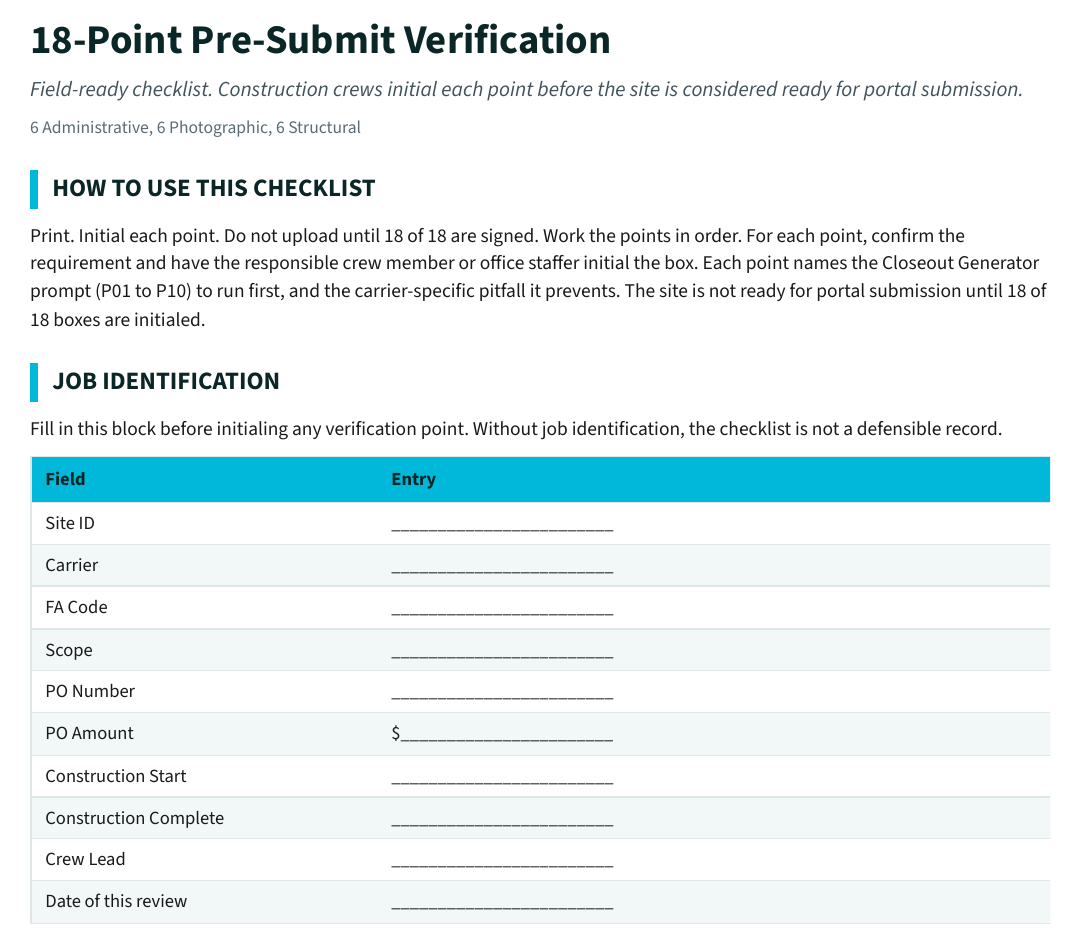
Run the 18-point pre-submit verification against crew notes, as-builts, photos, test results, and scope changes. Verify carrier, GC, customer, OSHA, and FCC requirements outside the template. Confirm dates, work completed, blockers, and next steps match the field record. Remove anything the draft adds that the field record does not support.
Operational controls
Treat every draft as a starting point, not the final word on carrier acceptance. Keep source notes, test data, and output versions for documentation retention. Follow your company policy on how drafts are prepared and disclosed. Assign a named reviewer before carrier or client submission.
Buy the bundle or book a walkthrough.
One-time purchase. Instant download. No subscription.
Before the job starts, draft a client-ready proposal, contractor RFP, or quick quote in your browser with the Bid & Proposal Builder. No signup, nothing saved.